

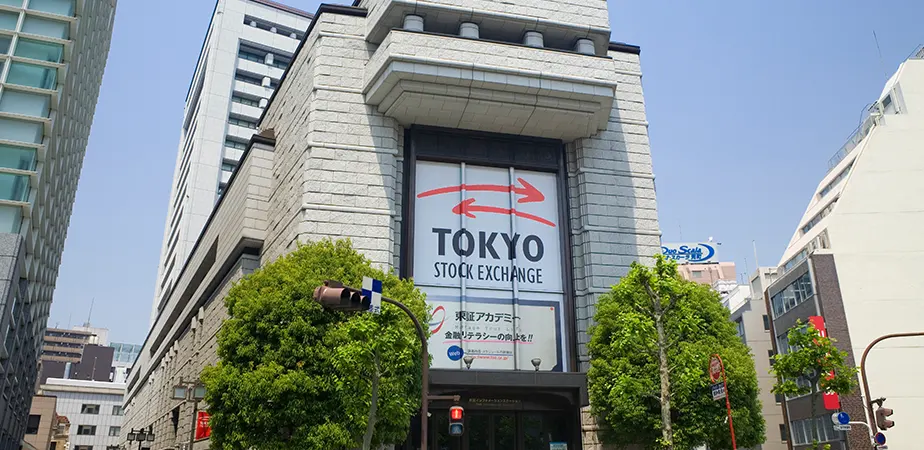
In 2024, the Nikkei 225 broke above 40,000 for the first time in 34 years. Warren Buffett made multiple trips to Tokyo, accumulating positions in five major trading companies. The Tokyo Stock Exchange launched its most aggressive corporate governance reform in a generation, pressuring listed companies to improve return on equity and return capital to shareholders.
For the first time in decades, Japan is back on the radar for global investors and that means developers building financial applications are starting to ask questions they never had to ask before:
- How do I get real-time Tokyo Stock Exchange data?
- How do I pull historical candles for a Japanese equity?
- What does an order book look like for a stock listed in Japan?
This guide answers all of those questions. But before we get to the API calls, it helps to understand what makes Japan equities unusual from a data perspective, because there are several surprises waiting for developers who treat TSE data like US stock or forex data.
1. How Japan Equities Are Different (and Why It Matters for Your Code)
1.1 The Market Runs in Two Sessions with a Hard Stop in Between
Tokyo Stock Exchange operates Monday through Friday in two distinct sessions:
- Morning session: 09:00 – 11:30 JST
- Afternoon session: 12:30 – 15:30 JST
There is a full 60-minute lunch break between them. During this hour, there are no trades, no order book updates, and no candlestick data. The market literally goes silent.
This catches developers off guard in two ways.
First, if you’re streaming data over WebSocket, a minute of silence doesn’t mean your connection dropped, it means it’s 11:45 in Tokyo.
Second, minute-level candlestick data for Japan stocks will always have a gap between 11:30 and 12:30 JST. If your charting library doesn’t handle gaps in time series, you’ll end up with a spurious flat line across the entire lunch period.
A practical rule: always check whether the current JST time falls within a trading session before acting on a “no data received” condition.
from datetime import datetime
import pytz

JST = pytz.timezone("Asia/Tokyo")

def is_tse_trading(dt: datetime | None = None) -> bool:
    now = (dt or datetime.now(JST)).astimezone(JST)
    if now.weekday() >= 5:          # Saturday or Sunday
        return False
    t = now.time()
    morning   = (datetime.strptime("09:00", "%H:%M").time(),
                 datetime.strptime("11:30", "%H:%M").time())
    afternoon = (datetime.strptime("12:30", "%H:%M").time(),
                 datetime.strptime("15:30", "%H:%M").time())
return morning[0] <= t < morning[1] or afternoon[0] <= t < afternoon[1]1.2 Daily Price Limits (値幅制限)
TSE imposes strict daily price movement limits on every listed stock. The limit is calculated from the previous day’s closing price using a tiered table — roughly ±30% for low-priced stocks, narrowing to ±16% for stocks above ¥5,000. When a stock hits its upper or lower limit, it can stay locked there for the rest of the session.
This affects how you interpret trade data. A stock with td: 1 (buy) that hasn’t moved in price for 20 minutes might not be calm, it might be locked at its daily upper limit with a queue of unfilled orders building up. The p field won’t tell you this; you need to compare it against the previous close to detect a limit situation.
1.3 Volume Is Reported in Shares, Not Round Lots
Most Japan stocks require a minimum trading unit (単元株, tangen kabu) of 100 shares. When you see "v": "85200" in trade data, that is 85,200 individual shares — or 852 round lots of 100 shares each. If your system converts volume to a “number of trades” metric, apply the lot size correction. Stocks with a ¥1,000+ price often have a round lot of 100 shares, while some lower-priced names use 1,000 or even 10,000 share lots.
1.4 All Timestamps Are in JST (UTC+9)
Japan Standard Time does not observe daylight saving. Timestamps in trade and depth responses are Unix milliseconds (UTC), so they’re timezone-neutral. But when you’re building time-based logic, checking whether the market is open, segmenting candles by session, filtering out lunch-period data, you need to convert to JST explicitly. datetime.utcfromtimestamp() will give you UTC, which is 9 hours behind Tokyo.
2. Infoway API: Full TSE Coverage via REST and WebSocket
Infoway API provides access to the entire Tokyo Stock Exchange universe, over 3,700 instruments across TSE Prime, Standard, and Growth market tiers with real-time latency under 500ms.
Some of the most actively traded stocks available:
| Symbol | Company | Sector |
|---|---|---|
7203.JP | Toyota Motor | Automotive |
6758.JP | Sony Group | Consumer Electronics |
9984.JP | SoftBank Group | Technology / Investment |
7974.JP | Nintendo | Video Games |
6861.JP | Keyence | Industrial Automation |
8031.JP | Mitsui & Co. | Trading Company |
8058.JP | Mitsubishi Corp. | Trading Company |
8001.JP | Itochu Corp. | Trading Company |
4063.JP | Shin-Etsu Chemical | Specialty Chemicals |
6367.JP | Daikin Industries | HVAC / Climate Systems |
The five trading companies in the list above (Mitsui, Mitsubishi, Itochu, and peers Marubeni
8002.JPand Sumitomo8053.JP) are the names Berkshire Hathaway has been accumulating since 2020, a basket that many developers building Japan-focused analytics track together.
Authentication uses a single header on every request:
apiKey: YOUR_API_KEY_HERERegister at the Infoway website to get a key. New accounts receive a 7-day trial automatically — no credit card required.
3. Pulling Historical Candles for Backtesting
If you’re building a backtesting pipeline, the candle endpoint is where you’ll spend most of your time. It supports 12 timeframes and lets you page backwards through history using a timestamp anchor.
Endpoint: POST https://data.infoway.io/japan/v2/batch_kline
klineType | Timeframe |
|---|---|
1 | 1-minute |
2 | 5-minute |
3 | 15-minute |
4 | 30-minute |
5 | 1-hour |
6 | 2-hour |
7 | 4-hour |
8 | Daily |
9 | Weekly |
10 | Monthly |
11 | Quarterly |
12 | Yearly |
Historical depth: minute-level data goes back 3 years; daily and above have no lookback limit.
Here’s a complete downloader that pages backward through daily candles for Toyota, handling pagination automatically:
import requests
import json
import time

API_KEY   = "YOUR_API_KEY_HERE"
ENDPOINT  = "https://data.infoway.io/japan/v2/batch_kline"
HEADERS   = {
    "User-Agent": "Mozilla/5.0",
    "Accept": "application/json",
    "Content-Type": "application/json",
    "apiKey": API_KEY
}

def fetch_candles(symbol: str, kline_type: int, count: int,
                  until_ts: int | None = None) -> list[dict]:
    payload = {"klineType": kline_type, "klineNum": count, "codes": symbol}
    if until_ts:
        payload["timestamp"] = until_ts
    r = requests.post(ENDPOINT, headers=HEADERS, data=json.dumps(payload))
    r.raise_for_status()
    resp = r.json()
    for item in resp.get("data", []):
        if item["s"] == symbol:
            return item.get("respList", [])
    return []

def download_full_history(symbol: str) -> list[dict]:
    """Download all available daily candles by walking backwards in time."""
    all_candles: list[dict] = []
    cursor: int | None = None

    while True:
        batch = fetch_candles(symbol, kline_type=8, count=500, until_ts=cursor)
        if not batch:
            break
        all_candles.extend(batch)
        oldest_ts = int(batch[-1]["t"])   # respList is newest-first
        if cursor and oldest_ts >= cursor:
            break                          # no further history available
        cursor = oldest_ts
        time.sleep(0.3)                    # stay within rate limits

    # Sort ascending for charting / backtesting
    all_candles.sort(key=lambda c: int(c["t"]))
    return all_candles

candles = download_full_history("7203.JP")
print(f"Downloaded {len(candles)} daily bars for Toyota")
for c in candles[-3:]:
print(f" {c['t']} o={c['o']} h={c['h']} l={c['l']} c={c['c']} v={c['v']}")The response structure for each candle:
{
  "t":   "1781671920",
  "o":   "3208.0",
  "h":   "3214.0",
  "l":   "3206.5",
  "c":   "3210.0",
  "v":   "85200",
  "vw":  "273492000.0",
  "pc":  "0.06%",
  "pca": "2.0"
}| Field | Description |
|---|---|
t | Candle open time (Unix seconds); results returned newest-first |
o / h / l / c | Open / High / Low / Close |
v | Volume in shares (divide by lot size for round lots) |
vw | Trade value (JPY) |
pc | Change % vs. previous candle |
pca | Change in points vs. previous candle |
Tip for intraday data: When downloading minute-level history for Japan stocks, you’ll see empty gaps between 11:30 and 12:30 JST. Don’t try to fill these gaps with interpolated data, they represent a real market close. Treat them as session boundaries in your charting and signal logic.
4. Monitoring Real-Time Trades During a Session
For live portfolio monitoring, alert systems, or signal engines that need to react to price moves within the session, the trade endpoint gives you the latest print.
Endpoint: GET https://data.infoway.io/japan/batch_trade/{codes}
import requests

symbols = "8031.JP,8058.JP,8001.JP,8002.JP,8053.JP"   # Berkshire's Japan basket
url     = f"https://data.infoway.io/japan/batch_trade/{symbols}"
headers = {
    "User-Agent": "Mozilla/5.0",
    "Accept": "application/json",
    "apiKey": "YOUR_API_KEY_HERE"
}

response = requests.get(url, headers=headers)
data = response.json()["data"]

for tick in data:
    direction = {0: "—", 1: "↑ BUY", 2: "↓ SELL"}.get(tick["td"], "?")
print(f"{tick['s']:12s} ¥{tick['p']:>10s} vol={tick['v']:>8s} {direction}")Sample output:
8031.JP       ¥   3198.0  vol=  124000  ↑ BUY
8058.JP       ¥   3412.5  vol=   88600  ↓ SELL
8001.JP       ¥   7820.0  vol=   31200  —
8002.JP       ¥   2956.0  vol=  201400  ↑ BUY
8053.JP ¥ 3607.0 vol= 65800 ↓ SELLThe td direction field tells you whether the print happened on the bid (sell) or ask (buy). In Japan, a heavy skew toward sell-side prints (td: 2) after a limit-up is sometimes an early signal of distribution from trapped longs.
Response field reference:
| Field | Description |
|---|---|
s | Symbol |
t | Timestamp (Unix milliseconds, UTC) |
p | Last trade price (JPY) |
v | Volume (shares) |
vw | Trade value (JPY) |
td | Direction: 0 = default, 1 = buy, 2 = sell |
5. Analyzing Order Book Depth
The depth endpoint returns a 10-level bid/ask ladder. For Japan stocks, spread analysis is particularly useful around the session open (09:00 and 12:30 JST), when liquidity is lowest and the spread is widest. Automation strategies that depend on tight spreads should check depth first.
Endpoint: GET https://data.infoway.io/japan/batch_depth/{codes}
import requests

url = "https://data.infoway.io/japan/batch_depth/7203.JP"
headers = {
    "User-Agent": "Mozilla/5.0",
    "Accept": "application/json",
    "apiKey": "YOUR_API_KEY_HERE"
}

r    = requests.get(url, headers=headers)
book = r.json()["data"][0]

asks = list(zip(book["a"][0], book["a"][1]))   # (price, volume) pairs
bids = list(zip(book["b"][0], book["b"][1]))

print("ASK")
for price, vol in asks[:5]:
    print(f"  ¥{price:>8s}   {vol:>8s} shares")
print(f"\n  spread: ¥{float(asks[0][0]) - float(bids[0][0]):.1f}\n")
print("BID")
for price, vol in bids[:5]:
print(f" ¥{price:>8s} {vol:>8s} shares")The response structure:
{
  "s": "7203.JP",
  "t": 1781672693007,
  "a": [
    ["3211.0", "3212.0", "3213.0", "3214.0", "3215.0",
     "3216.0", "3217.0", "3218.0", "3219.0", "3220.0"],
    ["2100",   "4800",   "1300",   "9700",   "3200",
     "5500",   "2800",   "7100",   "4300",   "6600"]
  ],
  "b": [
    ["3210.0", "3209.0", "3208.0", "3207.0", "3206.0",
     "3205.0", "3204.0", "3203.0", "3202.0", "3201.0"],
    ["1800",   "6200",   "3900",   "8400",   "2700",
     "5100",   "3300",   "4600",   "7800",   "2900"]
  ]
}a[0] and a[1] are two parallel arrays: prices and volumes for the ask side, matched by index position. b[0] and b[1] are the same for the bid side. The best ask is a[0][0], the best bid is b[0][0].
6. WebSocket: Session-Aware Real-Time Streaming
When you need sub-second latency for execution logic, live dashboards, or tick-level signal generation, WebSocket is the right transport. The connection stays open and the server pushes updates as they happen.
Japan equity WebSocket endpoint:
wss://data.infoway.io/ws?business=japan&apikey=YOUR_API_KEY_HEREThe biggest difference between streaming Japan equities and streaming something like crypto or forex is the lunch break. At 11:30 JST your stream goes quiet. At 12:30 JST it comes alive again. A streaming client that isn’t session-aware will fire reconnect logic during every lunch hour, wasting connections and potentially triggering rate limits.
The client below handles this correctly: it tracks trading session state, suppresses reconnect attempts during the lunch break, and logs clearly when the stream is silent due to market hours rather than a connection fault.
import asyncio
import json
import uuid
import logging
from datetime import datetime
from typing import Optional
import pytz
import websockets
from websockets.exceptions import ConnectionClosed

logging.basicConfig(level=logging.INFO, format="%(asctime)s %(levelname)s %(message)s")
logger = logging.getLogger("tse-stream")

JST     = pytz.timezone("Asia/Tokyo")
SYMBOLS = "7203.JP,6758.JP,9984.JP,8031.JP,8058.JP"


def tse_session_status() -> str:
    """Return 'morning', 'lunch', 'afternoon', or 'closed'."""
    now = datetime.now(JST)
    if now.weekday() >= 5:
        return "closed"
    t = now.time()
    if datetime.strptime("09:00", "%H:%M").time() <= t < datetime.strptime("11:30", "%H:%M").time():
        return "morning"
    if datetime.strptime("11:30", "%H:%M").time() <= t < datetime.strptime("12:30", "%H:%M").time():
        return "lunch"
    if datetime.strptime("12:30", "%H:%M").time() <= t < datetime.strptime("15:30", "%H:%M").time():
        return "afternoon"
    return "closed"


class TSEStreamClient:
    """Session-aware Japan equity WebSocket client."""

    def __init__(self, api_key: str):
        self.url = f"wss://data.infoway.io/ws?business=japan&apikey={api_key}"
        self.ws: Optional[websockets.WebSocketClientProtocol] = None
        self.running = True
        self._heartbeat_task: Optional[asyncio.Task] = None

    def _trace(self) -> str:
        return str(uuid.uuid4())

    async def _send(self, msg: dict) -> None:
        if self.ws:
            await self.ws.send(json.dumps(msg))

    async def _subscribe_all(self) -> None:
        await self._send({"code": 10000, "trace": self._trace(),
                          "data": {"codes": SYMBOLS}})
        await asyncio.sleep(5)

        await self._send({"code": 10003, "trace": self._trace(),
                          "data": {"codes": SYMBOLS}})
        await asyncio.sleep(5)

        await self._send({"code": 10006, "trace": self._trace(),
                          "data": {"arr": [{"type": 1, "codes": SYMBOLS}]}})
        logger.info("Subscriptions active — session: %s", tse_session_status())

    def _start_heartbeat(self) -> None:
        if self._heartbeat_task and not self._heartbeat_task.done():
            self._heartbeat_task.cancel()

        async def beat():
            while True:
                await asyncio.sleep(30)
                if not self.ws or self.ws.close_code is not None:
                    break
                try:
                    await self._send({"code": 10010, "trace": self._trace()})
                except Exception:
                    break

        self._heartbeat_task = asyncio.create_task(beat())

    def _dispatch(self, raw: str) -> None:
        try:
            msg = json.loads(raw)
        except json.JSONDecodeError:
            return

        code = msg.get("code")
        data = msg.get("data", {})

        if code == 10002:       # Trade push
            logger.info("TRADE  %-10s  ¥%-8s  vol=%-8s  %s",
                        data.get("s"), data.get("p"), data.get("v"),
                        {0: "—", 1: "BUY ↑", 2: "SELL ↓"}.get(data.get("td"), "?"))

        elif code == 10005:     # Depth push
            best_bid = data.get("b", [[None]])[0][0]
            best_ask = data.get("a", [[None]])[0][0]
            if best_bid and best_ask:
                spread = round(float(best_ask) - float(best_bid), 1)
                logger.info("DEPTH  %-10s  bid=¥%-8s  ask=¥%-8s  spread=¥%s",
                            data.get("s"), best_bid, best_ask, spread)

        elif code == 10008:     # Candle push
            logger.info("CANDLE %-10s  o=%-7s h=%-7s l=%-7s c=%-7s  vol=%s",
                        data.get("s"), data.get("o"), data.get("h"),
                        data.get("l"), data.get("c"), data.get("v"))

        elif code in (10001, 10004, 10007):
            logger.info("Subscription confirmed (code=%s)", code)

    async def _connect_once(self) -> None:
        async with websockets.connect(self.url) as ws:
            self.ws = ws
            logger.info("Connected — TSE session: %s", tse_session_status())
            await self._subscribe_all()
            self._start_heartbeat()
            try:
                async for message in ws:
                    self._dispatch(message)
            finally:
                if self._heartbeat_task:
                    self._heartbeat_task.cancel()
                self.ws = None

    async def start(self) -> None:
        backoff = 5
        while self.running:
            session = tse_session_status()
            if session in ("lunch", "closed"):
                logger.info("Market %s (JST) — stream paused, not a connection error", session)
                await asyncio.sleep(60)
                continue
            try:
                await self._connect_once()
                backoff = 5
            except ConnectionClosed as e:
                logger.warning("Connection closed: %s", e)
            except Exception as e:
                logger.error("Error: %s", e)
            if not self.running:
                break
            logger.info("Reconnecting in %ss...", backoff)
            await asyncio.sleep(backoff)
            backoff = min(backoff * 2, 60)

    def stop(self) -> None:
        self.running = False


async def main():
    client = TSEStreamClient(api_key="YOUR_API_KEY_HERE")
    await client.start()

if __name__ == "__main__":
    try:
        asyncio.run(main())
    except KeyboardInterrupt:
logger.info("Stopped")6.1 WebSocket Protocol Summary
| Code | Direction | Push payload |
|---|---|---|
| 10000 | → Server | Subscribe to trades |
| 10002 | ← Server | Trade: s, p, v, vw, t, td |
| 10003 | → Server | Subscribe to order book |
| 10005 | ← Server | Depth: s, t, a[prices, vols], b[prices, vols] |
| 10006 | → Server | Subscribe to candles (pass arr: [{type, codes}]) |
| 10008 | ← Server | Candle: s, o, h, l, c, v, vw, t, ty, pca, pfr |
| 10010 | ↔ Both | Heartbeat (send every 30s, server drops at 60s without one) |
| 11000 / 11001 / 11002 | → Server | Unsubscribe trade / depth / candles |
6.2 Subscription Quotas by Plan
| Plan | Max symbols per connection |
|---|---|
| Free trial | 10 |
| Basic ($99/mo) | 200 |
| Premium ($199/mo) | 800 |
| Pro ($399/mo) | 5,000 |
| Full Japan Feed ($299/mo) | All TSE symbols |
The Full Japan Feed plan is dedicated to TSE data only, it’s the best option if Japan equities are your primary market. Other plans share the symbol quota across all markets simultaneously (US, HK, crypto, forex, etc.).
7. Frequently Asked Questions
Why does my WebSocket stream go silent for an hour every day?
TSE has a lunch break from 11:30 to 12:30 JST. During this window, there are no trades, no order book changes, and no candle updates. The connection itself remains active (keep sending heartbeats), but the data flow pauses. Reconnecting doesn’t help — there’s simply nothing to stream. Resume normal operation at 12:30 JST when the afternoon session opens.
What are TSE Prime, Standard, and Growth market tiers?
TSE reorganized its market structure in April 2022. Prime is the flagship tier for large-cap companies meeting the highest listing standards (market cap ≥ ¥10B, liquidity and governance requirements). Standard is for mid-cap companies with solid governance. Growth is for emerging companies with high growth potential but more lenient financial requirements. Infoway API covers all three tiers — over 3,700 instruments in total.
How do daily price limits work?
TSE sets a maximum daily price movement for each stock based on its previous closing price. The limits are roughly ±30% for stocks below ¥100, tightening to about ±14–16% for stocks above ¥5,000. When a stock reaches its upper limit (ストップ高, stop-daka) or lower limit (ストップ安, stop-yasu), it may stay frozen at that price for the rest of the session with unexecuted orders queuing up. You can detect a limit situation by comparing the current p value against the theoretical limit based on the previous close — if the price is frozen at the limit for more than a few minutes, assume the book is locked.
How should I interpret volume numbers? The figures seem very large.
Japan stocks report volume in individual shares, not round lots. Most TSE-listed stocks have a minimum trading unit (単元株) of 100 shares, meaning a volume of "v": "85200" represents 852 round lots. If your system displays “trades” or “round lots,” divide the v value by the relevant lot size. For automation strategies with minimum-size requirements, verify the round lot for each instrument before calculating position sizing.
What is the format for Japan stock symbols?
TSE ticker numbers followed by .JP — Toyota is 7203.JP, Sony is 6758.JP. The ticker number is the same 4-digit code used by Bloomberg, Reuters, and Japanese brokerage platforms. Download the full symbol list from the Infoway dashboard after registering, or query it via the API.